The Cassini software allows customization of map color scales so clinicians can highlight specific corneal features or adapt to personal viewing preferences.
- Open Cassini software.
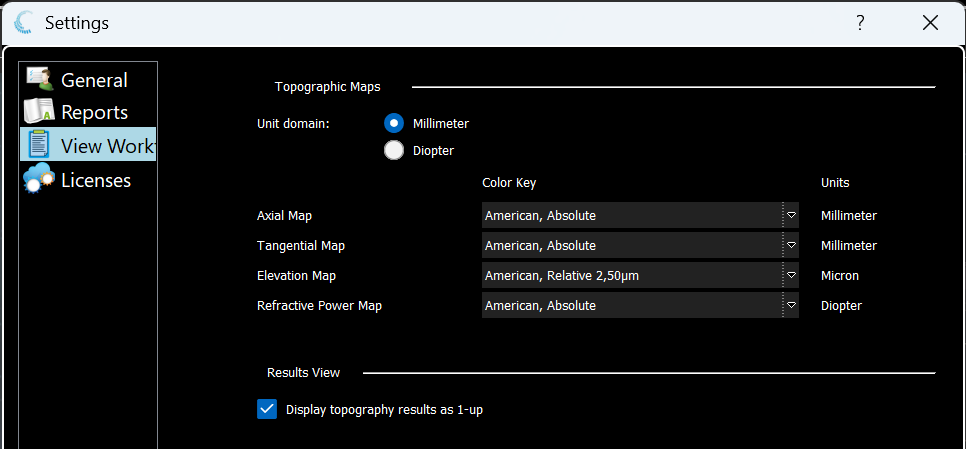
- Navigate to Settings > View Workflow.
- Under the Topographic Map section, use the dropdowns to select the desired color scales for Axial, Tangential, Elevation, and Refractive Power maps.
For further assistance please contact support@cassini-technologies.com or visit support.cassini-technologies.com to raise an e-ticket.
Was this article helpful?
That’s Great!
Thank you for your feedback
Sorry! We couldn't be helpful
Thank you for your feedback
Feedback sent
We appreciate your effort and will try to fix the article